 Volt Golf
5 Best Ways to Replace Golf Cart Brake Pads?
Replacing worn brake pads can restore a golf cart’s stopping power, but the job demands more than removing old parts. A soft pedal, scraping sound, or longer stopping distance may signal brake wear. Sometimes, the real problem is a damaged drum, weak spring, or leaking wheel cylinder. That detail matters.
This guide explains how to replace golf cart brake pads through five practical methods. It covers common drum-brake systems found on many Club Car, EZGO, and Yamaha models. However, brake layouts and adjustment procedures can vary by year and cart configuration. Check the service manual before ordering parts. Use correctly sized jack stands, wheel chocks, gloves, and eye protection. Never rely on a jack alone.
Expect a little resistance.
Experienced technicians usually photograph the spring arrangement before disassembly. A clean workbench also prevents small clips from disappearing into the grass. Inspect the brake drum, backing plate, return springs, and wheel cylinder while the pads are exposed. Replacing pads without correcting related damage can create uneven braking or rapid wear. That mistake is easy to make.
The five approaches below balance home-garage practicality with professional brake-service habits. They are not a substitute for model-specific specifications or a qualified inspection. After installation, test the cart at walking speed in a clear area. Confirm that it stops straight, the pedal feels firm, and no unusual noise remains. Fresh pads help, but careful adjustment makes the repair dependable.
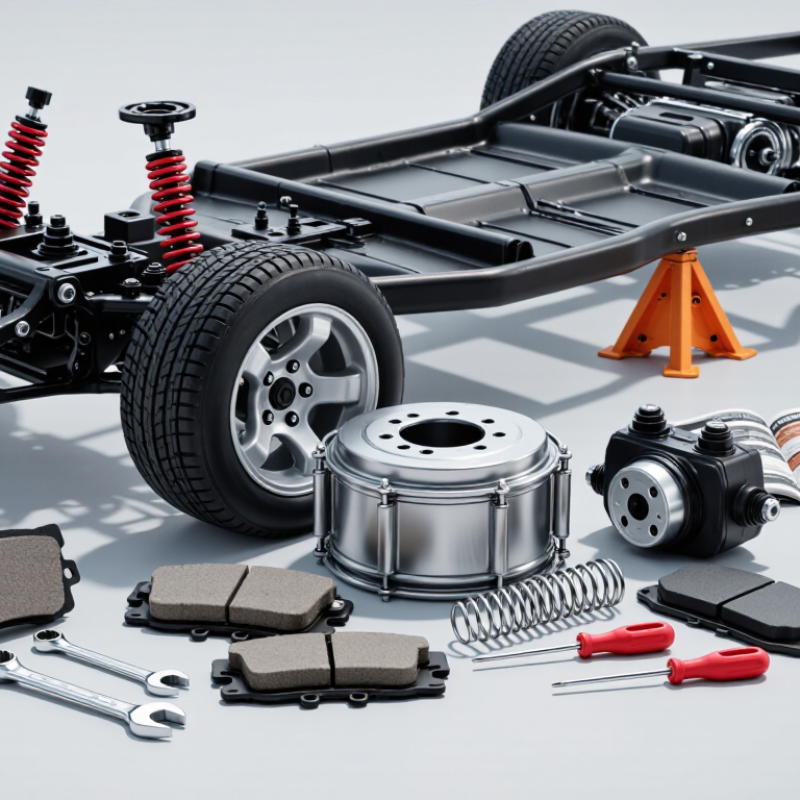
Identify the Golf Cart Brake System and Choose the Correct Brake Pads
5 Best Ways to Replace Golf Cart Brake Pads?
Identify the brake system before ordering parts. Many golf carts use drum brakes, which require curved brake shoes, not flat disc pads. Others use hydraulic disc brakes with calipers and rectangular pads. Remove the wheel and inspect the assembly. A round drum signals shoes; a visible rotor and caliper indicate pads. This simple check prevents an expensive mismatch.
The U.S. Consumer Product Safety Commission estimated about 48,000 golf-cart-related injuries from 1990 to 2006. Its report highlights why dependable stopping hardware matters. Check the service manual for friction-material specifications, lining thickness, and approved hardware. Federal Motor Vehicle Safety Standards 105 and 135 provide useful braking benchmarks, although many golf carts fall outside their direct scope. Never choose parts by appearance alone. Measure the rotor, shoe width, or pad shape. Small differences matter.
Tips: Photograph the spring layout before disassembly. Replace worn springs and damaged adjusters. Clean brake dust with an approved method, not compressed air. Adjust drum brakes until slight resistance appears. For hydraulic systems, inspect fluid color and hose condition. Bleed air after opening the hydraulic circuit. Test at walking speed first. Then test on a gentle slope. My practical concern is familiar: a brake may feel acceptable while hiding uneven wear. Recheck both sides.
5 Best Ways to Replace Golf Cart Brake Pads? - Identify the Golf Cart Brake System and Choose the Correct Brake Pads
| Method | Brake System Identification | Correct Replacement Part | Key Inspection Points | Recommended Tools | Safety and Service Notes |
|---|---|---|---|---|---|
| 1. Identify the brake system before ordering | Remove the wheel or inspect through the wheel opening. A drum system has a round enclosed brake drum; a disc system has an exposed rotor and caliper. Mechanical systems normally use cables or rods, while hydraulic systems use fluid lines. | Drum-brake shoes for drum assemblies; disc-brake pads for caliper-and-rotor assemblies. Do not substitute disc pads for drum shoes. | Check the number of shoes or pads, mounting shape, friction-material layout, backing-plate size, and left/right fitment. | Flashlight, wheel chocks, floor jack, jack stands, lug wrench, and a camera for recording assembly orientation. | Park on a level surface, switch off the power, remove the key, and support the cart securely before removing a wheel. |
| 2. Match the pads or shoes by dimensions and design | Confirm whether the cart uses a front, rear, or all-wheel brake setup. Some carts use different components on the front and rear axles. | Match outside diameter, width, thickness, hole locations, retaining clips, wear indicators, and friction-material profile with the original part. | Replace friction components as a complete axle set. Uneven wear can indicate a seized adjuster, damaged return spring, sticking caliper, or misalignment. | Vernier caliper, ruler, brake-component diagram, clean measuring surface, and the vehicle service information. | Never select parts by appearance alone. Vehicle year, axle configuration, wheel size, and previous brake conversions may affect fitment. |
| 3. Replace worn parts and inspect the complete brake assembly | For drum brakes, inspect the drum, backing plate, adjuster, springs, and wheel cylinder if hydraulic. For disc brakes, inspect the rotor, caliper, slide pins, and fluid hose. | Use friction parts made for the identified brake design and replace damaged hardware rather than reusing stretched, corroded, or heat-weakened springs and clips. | Replace or machine a drum or rotor if it is deeply scored, cracked, below its service limit, or excessively overheated. Check for oil or brake-fluid contamination. | Brake-cleaning spray, soft brush, brake spring tool, suitable pliers, C-clamp or piston tool, and a micrometer where available. | Do not use compressed air to remove brake dust. Avoid breathing dust and keep grease, oil, and lubricant away from friction surfaces. |
| 4. Install the new pads or shoes correctly | Follow the original arrangement. Drum shoes may have different leading and trailing positions, while disc pads must sit squarely in the caliper bracket. | Install matching components on both sides of the same axle. Keep protective shims, clips, springs, and wear indicators in their intended positions. | Verify that shoes move freely, pads slide without binding, caliper pistons retract correctly, and all fasteners are tightened to the vehicle’s specified torque. | Torque wrench, brake spring tool, piston retraction tool, high-temperature brake lubricant for approved contact points, and clean gloves. | Lubricate only metal-to-metal contact points specified by the service procedure. Never lubricate the friction material, rotor, drum, or pad face. |
| 5. Adjust, bed in, and test the brakes | Drum brakes may require manual or automatic adjustment. Hydraulic systems may require bleeding if the system was opened. Mechanical systems require correct cable or rod adjustment. | Use the installed components only after confirming that the pedal or lever has normal travel and that the wheels rotate freely without excessive drag. | Check pedal firmness, parking-brake holding ability, wheel drag, straight-line stopping, unusual noise, fluid leaks, and fastener security. | Brake-fluid-compatible bleeding equipment where required, torque wrench, protective gloves, and a safe low-speed test area. | Perform several gentle stops at low speed to seat the friction surfaces. Avoid heavy braking immediately after installation and stop service if the cart pulls, vibrates, or fails to stop normally. |
FAQS
Prepare a socket set, torque wrench, brake cleaner, C-clamp, wheel chocks, and a wire brush. Wear safety glasses, gloves, and closed-toe shoes.
Park on firm, level concrete. Switch off the power and remove the key. Chock the wheels that remain on the ground. Never rely on a jack alone.
Use the approved lifting points in the service manual. Support the cart with rated jack stands. Give it a gentle push. It should not move.
Loosen the lug nuts before lifting. Remove the wheel carefully. Release the adjuster through its access slot. Support the drum with both hands.
Inspect the drum, backing plate, springs, and adjuster. Look for cracks, grease, rust, uneven wear, and blue heat marks. Replace damaged hardware.
Photograph the spring positions before disassembly. Install the new pads in their original locations. Keep friction surfaces free from fingerprints, grease, and dirt.
Adjust it until the drum slides over the pads with slight resistance. Turn the star wheel gradually. The wheel should rotate freely without harsh scraping.
Set pedal free play according to the service instructions. Recheck the adjustment after several gentle stops. Test on private, open ground. Do not carry passengers yet.
Rushing can hide a sticking wheel cylinder or misplaced spring. I once tightened an adjuster too far. The test drive revealed the mistake. Check again.
Conclusion
Replacing golf cart brake pads safely begins with identifying the cart’s brake system and selecting pads that match its specifications. Before starting, gather the necessary hand tools, safety equipment, and a stable work area. Secure the cart, remove the wheel carefully, and take off the brake drum without damaging nearby components. Inspect the drum, springs, adjusters, and other hardware for wear or damage so any additional problems can be addressed during the repair.
The key steps in how to replace golf cart brake pads include removing the old pads, positioning the new pads correctly, and adjusting the brake mechanism so the shoes make proper contact without dragging. Reinstall the drum and wheel securely, then test the brakes at low speed in a safe, open area. Confirm that the cart stops smoothly, remains straight, and produces no unusual sounds. After replacement, recheck fasteners and brake adjustment, and monitor performance during the first several uses.
